sui-agent-wallet
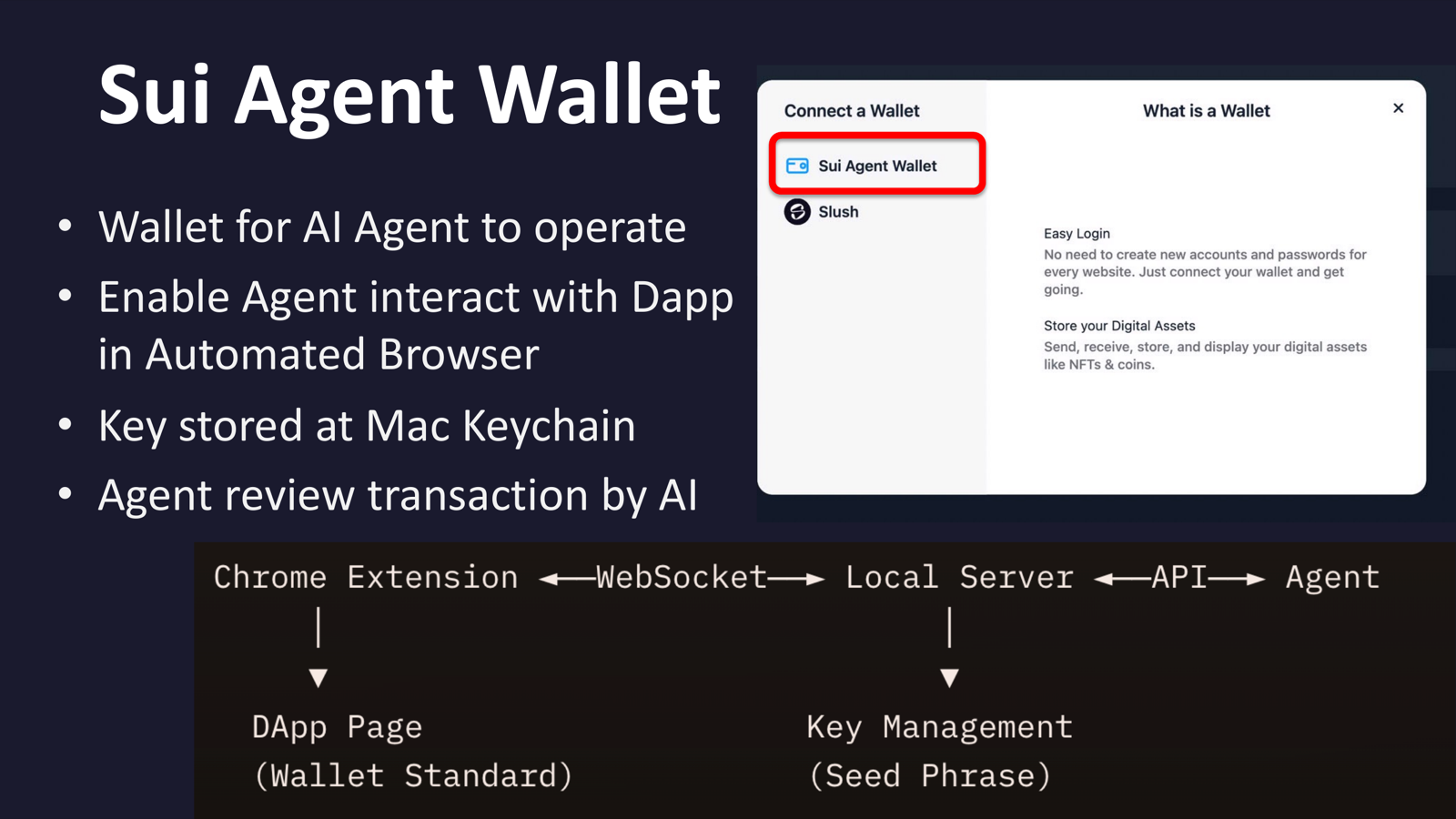
Give your AI agent its own Sui wallet to interact with DApps and sign transactions.
Overview
This skill provides a fully functional Sui wallet for your AI agent. It includes a local server for key management and transaction signing, plus a Chrome extension implementing the Sui Wallet Standard. The agent can connect to any DApp, review transaction details, and approve or reject signing requests.
Installation
bash
clawhub install sui-agent-walletOr manually copy the folder and set up:
bash
cd <your-workspace>/skills/sui-agent-wallet/server
bun install
bun run index.ts
Then load the Chrome extension from the extension/ folder.
Features
- Automatic wallet creation with seed phrase in macOS Keychain
- Multi-account support (BIP44 derivation:
m/44'/784'/{index}'/0'/0') - Network switching: mainnet, testnet, devnet, localnet
- Transaction review, approval, and rejection via REST API
- Chrome extension with Sui Wallet Standard support
- Direct CLI integration for unsigned transaction signing
- Built-in test DApp for development
Prerequisites
- Bun runtime
- Chrome/Chromium
- macOS (for Keychain storage)
API Reference
Wallet Info
bash
curl http://localhost:3847/address    # Current address
curl http://localhost:3847/balance    # Balance
curl http://localhost:3847/mnemonic   # Seed phrase (backup)
Account Management
bash
curl http://localhost:3847/accounts                    # List accounts
curl -X POST http://localhost:3847/accounts            # Create account
curl -X POST http://localhost:3847/accounts/switch \
  -H "Content-Type: application/json" \
  -d '{"index": 1}'                                    # Switch account
Network Management
bash
curl http://localhost:3847/network                     # Current network
curl -X POST http://localhost:3847/network \
  -H "Content-Type: application/json" \
  -d '{"network": "testnet"}'                          # Switch network
Transaction Signing
bash
curl http://localhost:3847/pending                     # View pending
curl -X POST http://localhost:3847/approve/<id>        # Approve
curl -X POST http://localhost:3847/reject/<id>         # Reject
CLI Integration
bash
AGENT_ADDR=$(curl -s localhost:3847/address | jq -r .address)
TX_BYTES=$(sui client publish --serialize-unsigned-transaction \
  --sender $AGENT_ADDR --gas-budget 100000000 | tail -1)

curl -X POST http://localhost:3847/sign-and-execute \
  -H "Content-Type: application/json" \
  -d "{\"txBytes\": \"$TX_BYTES\"}"
Architecture
Chrome Extension <--WebSocket--> Local Server <--API--> Agent
     |                                |
     v                                v
  DApp Page                    Key Management
  (Wallet Standard)            (macOS Keychain)
Security Checklist
Before approving transactions, verify:
- Is the target contract trustworthy?
- Is the amount reasonable?
- Are there suspicious coin transfers?
- Is the gas budget normal?